

FOX
WorkEasy Software recognized as a Top 25 Global Work Tech Vendor. Work Tech Awards honor best-in-class vendors.
Six options for tracking hourly time, judged on the path an hour takes from the punch to payroll, including where WorkEasy falls short.
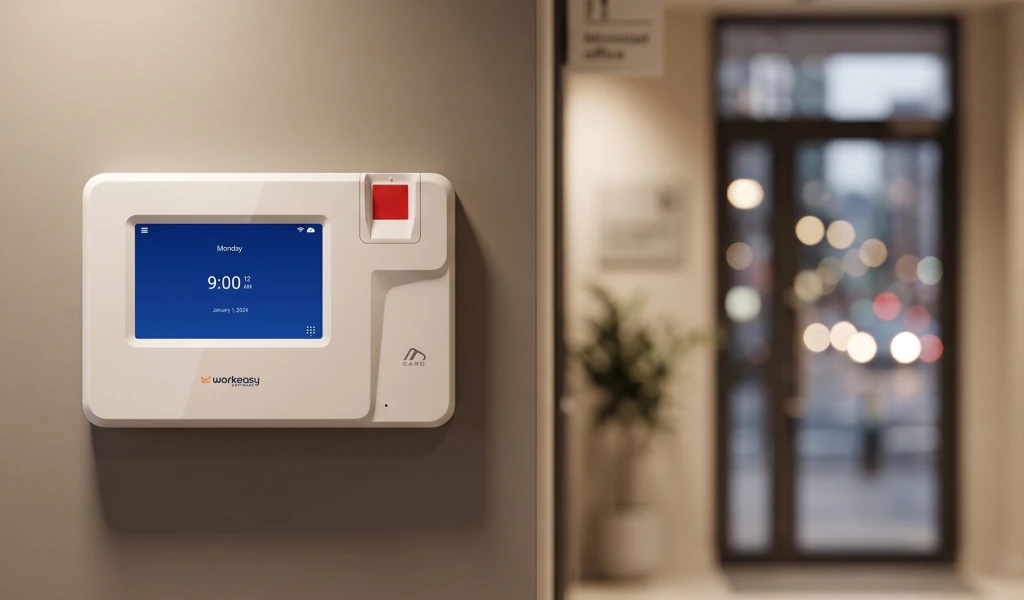
The best time and attendance software for hourly teams captures hours at a clock that confirms who is working, applies your pay rules as hours come in, flags overtime and missed punches before payroll closes, and syncs approved hours to your payroll provider. The main options are five types of software: clock-connected time and attendance systems, app-first time tracking platforms, time modules inside payroll and HR suites, enterprise workforce suites, and basic software bundled with standalone clocks. Spreadsheets and paper timesheets are the baseline those five replace.
WorkEasy recommends a clock-connected system as the strongest choice for shift-based teams on plant floors, job sites and warehouses, because a biometric clock confirms the person and the same system applies your rules. WorkEasy Software's biometric clocks feed its Time and Attendance software, which syncs approved hours to the payroll provider you already use. More than 10,000 companies use WorkEasy, and 750,000+ workers clock in every day.
WorkEasy sells the first option on this list, so read that entry knowing it. Every entry, ours included, covers what the option is, who it's best for, where it falls short, how it's priced and the rollout effort. This page compares types of software, not named products. If you want the basics first, start with our guide to what a time and attendance system does.
Judge time and attendance software by following one hour from the punch to payroll. Each of these six steps is a place where an hour stays right or goes wrong, and you can check each one on a vendor call.
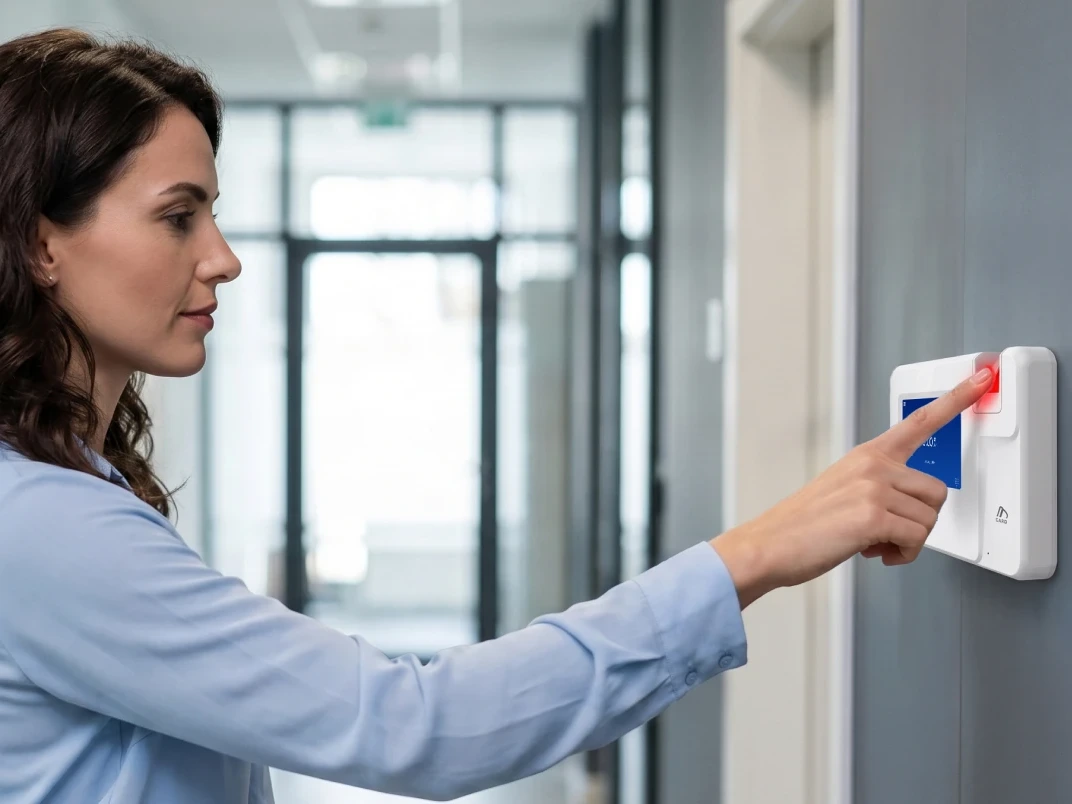
Capture. The hour starts at a clock or app that records who is working. An app login shows which account punched and from where. A biometric read shows which person punched. A card tap shows which card punched. Ask what a punch proves at each place your people clock in.
Rules. Overtime, shift differentials and rounding should apply as hours come in, not when someone opens a timesheet on payroll day. On a manufacturing line with a second-shift differential, the right rate should already be on the hour when a supervisor sees it. Every rule the software applies is one less hand calculation before payday.
Exceptions. Missed punches and late arrivals should be flagged for a manager while the pay period is still open. In a warehouse with new people starting every week, a missed punch caught the same day is a quick fix. Caught after payroll, the same punch becomes a correction to someone's pay.
Approvals. Supervisors should review and approve hours before payroll closes. Ask who approves, where they do it, and what happens to hours nobody has approved by the cutoff.
Payroll sync. Approved hours should reach your payroll provider without re-keying. Name your provider and ask to see the route. A direct connection and a file import both avoid typing hours twice, and they ask different amounts of your team.
Visibility. Labor cost should show by site or job while there's still time to act. On a construction job, that means seeing hours against the job while the job is running, not after the pay period closes.
Clock-connected systems come first because they are WorkEasy's recommendation for hourly, shift-based teams. The other five aren't ranked, because the right one depends on your sites, your workers and your payroll provider. Each entry describes a type, so test any product you're considering with the questions further down.
What it is. A clock-connected system pairs time clocks with time and attendance software from one vendor, so punches go straight into the system that applies your rules. WorkEasy Time and Attendance runs on WorkEasy's own Xenio time clocks, for hourly, shift-based teams. WorkEasy builds both the clocks and the software. Other vendors sell this type too, so test each of them, WorkEasy included, on the six steps. A clock with thin software belongs in the basic entry below. You may also see the name EasyClocking by WorkEasy Software. EasyClocking and WorkEasy Software are one company, with one set of clocks.
Best for. Hourly, shift-based teams at fixed sites and on job sites, including manufacturing, construction, warehousing and distribution, transportation and healthcare.
How an hour moves through it.
Where it falls short. Three limits are worth testing.
A clock-connected system is also more than a salaried, desk-based team needs if nobody clocks in.
How it's priced. WorkEasy prices per employee per month, plus clock hardware, which you can buy or take on a flexible subscription. Ask about setup and term, and total the cost at your headcount, as you would with any vendor.
What changes for your admin team. Exceptions show up while there's time to fix them, so there is less to chase before payroll. Managers see who is approaching overtime and can get an alert while there's still time to change a schedule. Your payroll provider gets approved hours with nothing typed twice.
What changes for your workers. With WorkEasy, workers get a clock anyone can use, and a missed punch is more likely to be fixed before it becomes a correction to their pay.
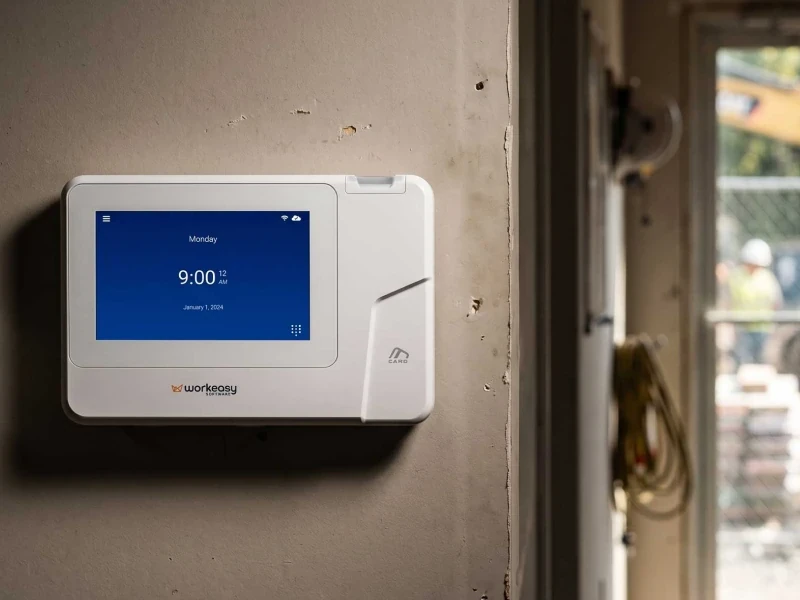
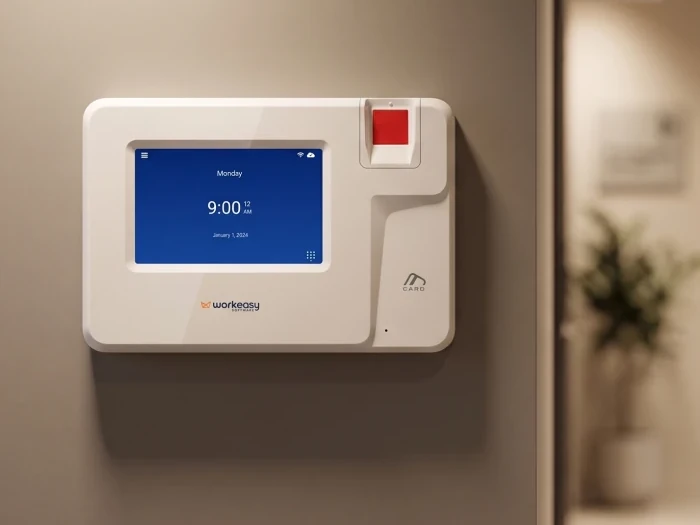
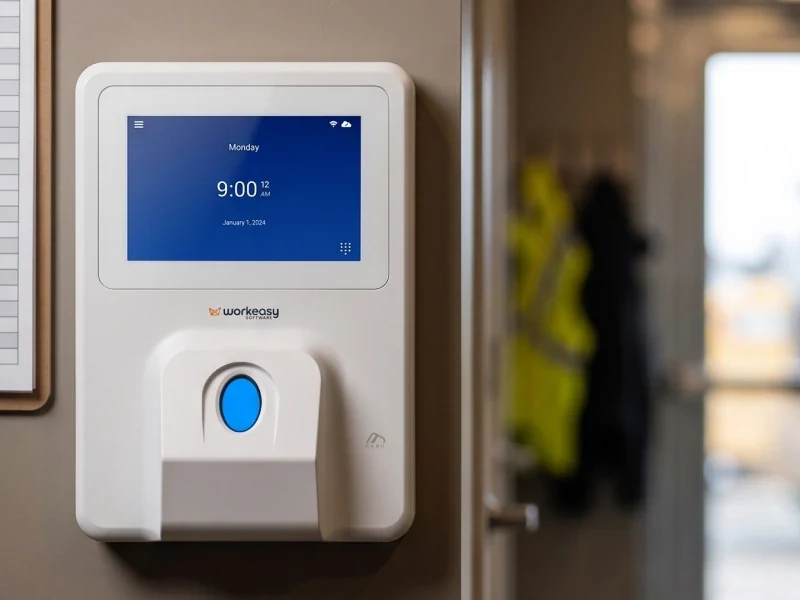
A clock for each environment. Seven clocks cover different hands, traffic, mounts and site conditions, so each site can have the right clock on one set of rules and one view. You can see all WorkEasy time clocks to match one to each site.
Room to grow. WorkEasy Software links biometric time clocks with Time and Attendance software on one platform, adds Scheduling when you need it, and syncs approved hours to the payroll provider you already use. Time Off and HR Data Management are on the same platform too.
Rollout effort. WorkEasy's onboarding team configures the system with you in a four-stage guided process, and every customer gets support when they need it. The team first learns what your onboarding needs, then how your whole business works, then customizes the setup with you, then walks you through all of it. Read how WorkEasy's teams support you. How long that takes depends on your sites, clocks and pay rules. Your team still handles preparing a site for time clocks, including a wall, power and a network drop for each fixed clock, plus enrollment. Notice and consent for biometric clocks are also yours to own, with your own counsel, and Section 9 of WorkEasy's Terms & Conditions sets out who carries them. If biometrics aren't an option for you, the proximity smart card clock runs on the same rules, approvals and sync, and its punch confirms the card rather than the person.
Who stands behind it. According to WorkEasy's company figures, more than 10,000 companies use WorkEasy, and 750,000+ workers clock in every day, with more than 360 million punches a year. WorkEasy is SOC 2 compliant, and the WorkEasy security page explains how customer data is stored and protected. You can download a SOC 3 report there and request a copy of the SOC 2 certificate.
Next step. Read the WorkEasy Time and Attendance product page, see how WorkEasy pricing is structured, or ask for a quote.
What it is. Software that workers use on a phone or a shared tablet to clock in, with a dashboard where managers review hours. WorkEasy has a phone punch and a Time Kiosk App for these setups, and the limits below apply to them as well.
Best for. Teams where each worker carries a phone and there's no shared place to clock in. An app-first platform is quick to start.
Where it falls short. An app-first platform on its own shows which account punched and from where, so hours from a shared entrance may need fixing later. A phone punch also depends on a charged, signed-in phone, on a site that allows phones on the floor. A PIN proves knowledge of the PIN, and a clock-in photo needs someone to review it. Ask whether a clock is available, who makes it, and which plan carries any face match. To see who an app would leave out, go through your roster name by name.
How it's priced. The five app price lists we checked in November 2026 split four ways. Two charge per user a month, one of them with a minimum monthly spend, and one charges per user plus a monthly base fee. One charges per location, and one charges a flat fee for the first 30 users plus a fee for each additional user. Two of the five offer a free plan for up to 10 people, one of them for a single location.
Rollout effort. An app-first platform has no clocks to install. You still add every worker, set your pay rules and get people signed in, so ask who helps with that.
What it is. A time tracking module sold by the company that already runs your payroll or HR. A time module inside an ERP system raises the same questions.
Best for. Businesses already on that payroll system that want time tracking and pay with one vendor.
Where it falls short. Capture depends on which clock comes with the module, so ask, because a module that relies on an app leaves that step open. The module is also tied to that one payroll system, so changing payroll later can mean changing time tracking too.
How it's priced. One payroll-linked module in the research behind this guide was priced per user a month plus a base fee. The five app price lists don't include this type, so ask for a current number at your headcount.
Rollout effort. Your employee list may already be in the suite. Pay rules, clocks and approvals still need setting up, so ask who does that with you.
What it is. A broad workforce platform designed for employers with thousands of people and an IT team to administer it.
Best for. Companies with thousands of employees, and buyers who need demand forecasting or labor optimization modeling, which WorkEasy doesn't offer.
Where it falls short. An enterprise suite can bring more cost, a longer rollout and more complexity than an hourly employer with a few hundred workers may need. Capture depends on which clock comes with the suite, so ask.
How it's priced. Enterprise suites are sold by custom quote, with implementation fees. Ask for both in writing.
Rollout effort. Ask who staffs an enterprise rollout on your side, what it asks of IT, and when the first site goes live.
What it is. A standalone time clock sold with its maker's basic software or cloud plan. If you're running an older wall clock that exports punches in batches, read this entry as your starting point.
Best for. A single small site with simple pay rules.
Where it falls short. Basic bundled software can stop short on the steps after the punch, so check it as closely as the clock. Ask how it handles overtime and shift differentials, how it flags missed punches, how supervisors approve hours, how hours reach your payroll provider, and whether it shows labor cost by site or job. Ask too whether the clock confirms the person or only a PIN or card.
How it's priced. Standalone clocks are bought upfront, with a cloud plan per person a month if you add one. Get both numbers in writing.
Rollout effort. Mount the clock, set up the software, then build and test the path to payroll. Ask who supports that path afterward.
What it is. Hours written on paper or typed into a spreadsheet by hand.
Best for. A handful of workers.
Where it falls short. On paper or in a spreadsheet, nothing confirms who worked, a rule only applies if someone builds and checks the formula, and nobody sees cost until the hours are totaled. A supervisor can sign off, but nothing chases a missing sign-off, and every hour gets re-keyed. Errors surface in the Friday scramble before payroll.
How it's priced. No software cost, but high admin time.
Rollout effort. None to start, and the work comes back every pay period.
The biggest split between the software types is at capture, the first step, because the steps after the punch can only work with what the punch recorded. After the punch, the difference is who you depend on. A clock-connected system has one vendor for the clock and the software, with no hand-off between a clock maker and a software maker. The sync to your payroll provider still crosses to a second company.
This table scores each type on the six steps. Yes means the type is built to do the step. Partly means it depends on the product you pick. On the paper row, partly means someone can do it by hand. No means the type doesn't do it. The scores are WorkEasy's own judgment, not a test of any product, and WorkEasy sells the first row.
| Option | Capture | Rules | Exceptions | Approvals | Payroll sync | Visibility |
|---|---|---|---|---|---|---|
| Clock-connected systems (WorkEasy) | Yes on a biometric clock, card on the card clock | Yes | Yes | Yes | Yes, direct or by file | Yes |
| App-first platforms | Partly | Yes | Yes | Yes | Yes | Yes |
| Payroll and HR suite modules | Partly | Yes | Yes | Yes | Yes, to that provider | Yes |
| Enterprise workforce suites | Partly | Yes | Yes | Yes | Yes | Yes |
| Basic software with standalone clocks | Partly | Partly | Partly | Partly | Partly | Partly |
| Spreadsheets and paper | No | No | No | Partly | No | No |
Some of these scores need a note.
Ask every vendor these eight questions, WorkEasy included.
WorkEasy Time and Attendance is built so the clock, the software and the sync to your payroll provider work together, so there's less to rebuild between the punch and payday.
The outcome that matters depends on your floor.
To go further, read about WorkEasy Time and Attendance, see the WorkEasy pricing page, then request a quote. Tell us your headcount and how many sites you run, so the quote covers all of them.
Short answers to the questions that come up most often.
The best time and attendance software for hourly employees confirms who is clocking in, applies your pay rules as hours come in, flags overtime and missed punches before payroll closes, and syncs approved hours to your payroll provider. For shift-based teams, WorkEasy recommends software connected to time clocks, because a biometric clock confirms the person before hours reach the software.
Time and attendance software captures and checks the hours people work. Payroll software turns approved hours into paychecks, and some products bundle the two. WorkEasy Software handles time and attendance and syncs approved hours to the payroll provider you already use. WorkEasy doesn't run payroll.
Not always. Teams where each worker carries a phone can clock in through an app. For teams that share an entrance, can't use phones on the floor, or need to confirm who clocked in, WorkEasy recommends a time clock connected to the software.
Good time and attendance software applies your overtime rules as hours come in and alerts managers while there's still time to act, not after payroll. WorkEasy shows managers who is approaching overtime and can send an alert, so they can adjust schedules in time.
Switching time depends on the number of sites, clocks and pay rules. WorkEasy's onboarding team configures the system with you in a four-stage guided process, and every customer gets support when they need it.
WorkEasy Software in the news
Learn what the news media is saying about WorkEasy Software products and service.
WorkEasy Software recognized as a Top 25 Global Work Tech Vendor. Work Tech Awards honor best-in-class vendors.
WorkEasy Software powers game-changing teams with surprisingly easy technology in mission-critical areas.

Work Tech Awards honor top vendors worldwide whose efforts exemplify what Inspiring Workplaces calls “real impact.”

WorkEasy Software recognized as a Top 25 Global Work Tech Vendor. Work Tech Awards honor best-in-class vendors.

Work Tech Awards honor top vendors worldwide whose efforts exemplify what Inspiring Workplaces calls “real impact.”

WorkEasy Software powers game-changing teams with surprisingly easy technology in mission-critical areas.

WorkEasy Software powers game-changing teams with surprisingly easy technology in mission-critical areas.


